 docs/together.ans · Draw together
Two or more people draw on one canvas, peer to peer, with no accounts and no servers to run.
Start a session
Alt-T, the ⇄ chip in the status bar, or palette › Draw together: live drawing with others… opens the TOGETHER panel. Two or more people then draw on one canvas, BBS art jam style.
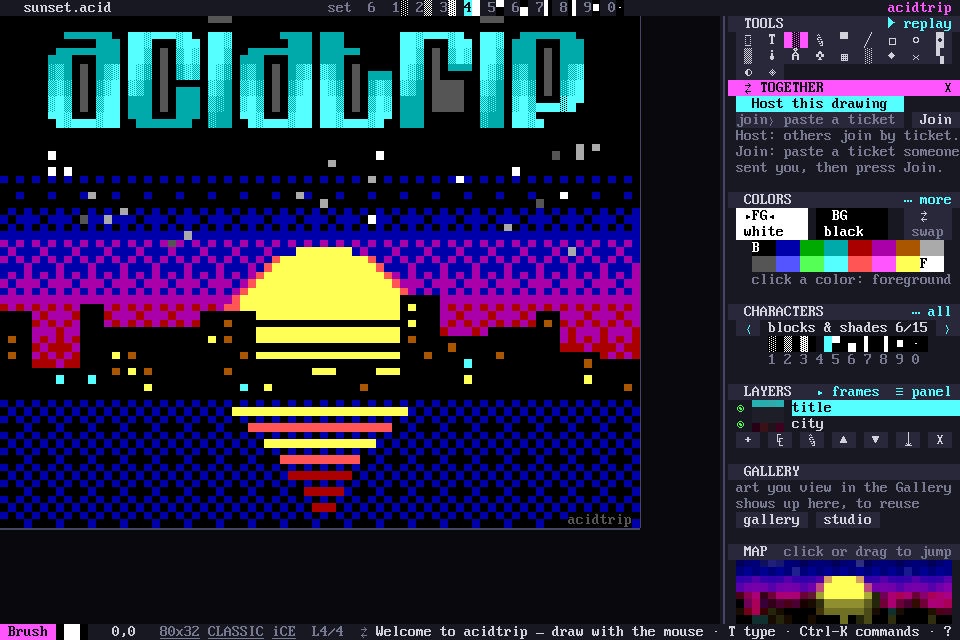
Host
Host this drawing (palette › Host: share this drawing live) gives you a ticket, a short string that is copied to the clipboard. Send it to the others any way you like. Copy copies it again.
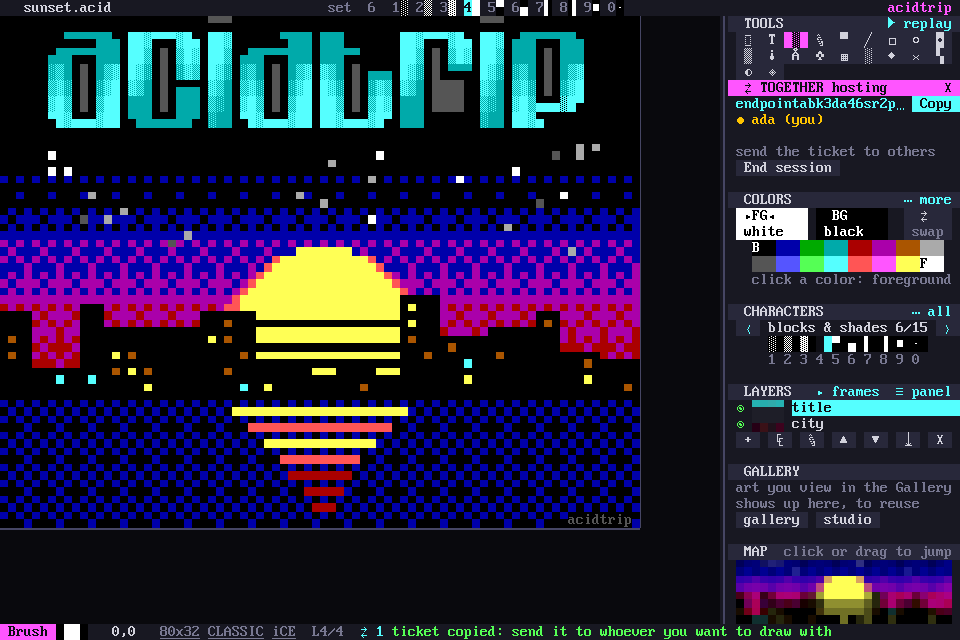
Join
Paste the ticket anywhere in acidtrip, or into the join› field (a click on the field pastes it), then press Join. You get the host’s drawing as it is now, and every edit from then on.
Drawing together
- Who’s here: the panel lists everyone in their own color, and their cursors show on the canvas with their names. Your name is your login name; set
namein the[ui]section of the config to change it. - Undo takes back only your own edits, and only the cells nobody has drawn over since.
- Leave (or End session when you host) stops sharing. Your copy of the drawing stays. When the host ends the session, everyone is told.
The host’s copy is the source of truth: edits apply in the order the host sees them, so when two people draw on the same cell, the last one wins.
How it connects
It’s peer to peer, over iroh.
- Dial by key: peers dial each other by public key, not by IP address. The ticket carries the host’s key, the relays to try, and a few addresses.
- Hole punching: connections punch through NATs so peers talk directly.
- Relays: when a firewall blocks a direct path, the connection falls back to n0’s public relays. The relays help peers find each other and pass traffic along, and the connection is encrypted end to end, so they can’t read it.
- LAN: mDNS finds peers on a local network with no internet at all.
- No accounts: there are no sign-ups and no servers to run. A dropped connection reconnects by itself.