 docs/brushes.ans · Brushes and the smart pen
A pen that picks the best glyph for every cell, and a library of brushes that make it a paint program.
The smart pen
P, or ✎ in the tools grid, picks the smart pen. It draws your stroke at the glyph’s own 8×16-pixel resolution. Then, for each cell, it picks the glyph from the active set whose real bitmap best matches what the stroke covered: ▀ ▄ ▌ ▐ for clean edges, ░ ▒ ▓ to smooth slopes, and connected ─ │ ┌ ┘ with a box-drawing set.
With terminals that report exact mouse pixels (kitty, WezTerm, Ghostty, xterm and others) it follows the pointer inside the cell.
The brush library
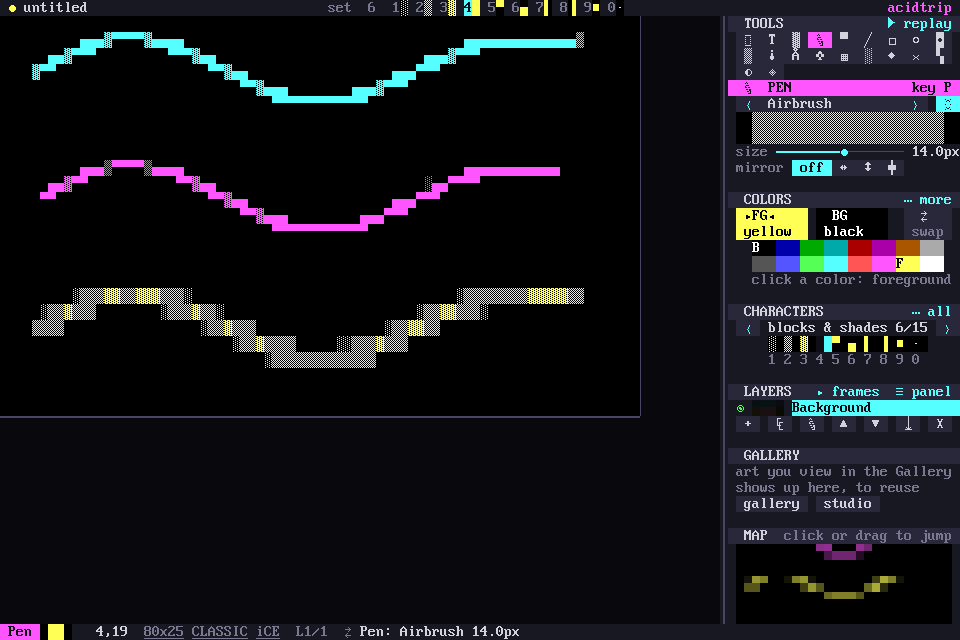
Brushes make the pen a paint program. Tab cycles the presets, and - and = resize.
| Brush | What it does |
|---|---|
| Ink | the crisp smart pen |
| Brush pen | tapers at both ends, thins when you move fast |
| Marker | bold square tip, blocks |
| Calligraphy | 45° flat nib: thick one way, thin the other |
| Airbrush | soft edge, builds up ░ ▒ ▓ █ where you go over it |
| Soft shade | 60% tone that never goes solid, for shading |
| Chalk | paper grain breaks the ink up |
| Spray | scattered dots · ∙ • ° |
| ASCII | text-art characters _ ^ * / \ o |
| Line art | connected single box lines |
The pen has the same mirror row as the brush: off, ↔, ↕ or ✚. M cycles it.
The brush studio
Shift-P, the ⚙ in the pen’s sidebar panel, or palette › Brush studio… opens the studio, with sliders and a live preview stroke.
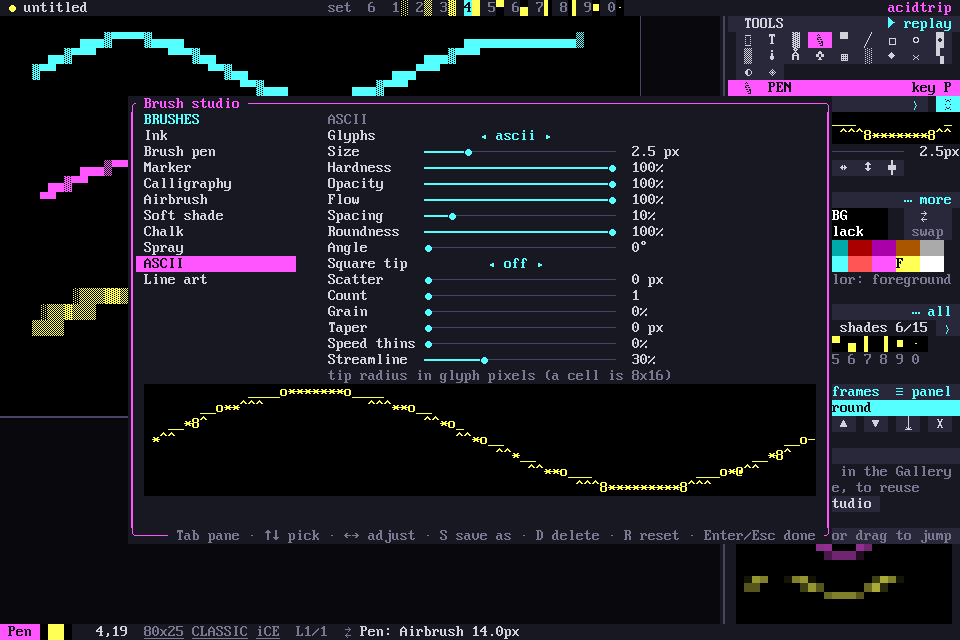
Each brush is made of four parts:
- Tip: size, hardness, roundness, angle, square.
- Ink: opacity, flow, spacing, scatter, count, grain.
- The hand: taper, speed thinning, and a streamline stabilizer.
- Glyphs: the tile set, blocks, shades, ASCII, dots or lines.
In the studio, Tab switches pane, ↑ ↓ pick a setting and ← → adjust it. R resets, and Enter or Esc closes.
Your own presets
S in the studio saves your tweaks as a preset in the library’s brushes/ folder, one small TOML file each. A preset saved under a built-in’s name replaces it. D deletes a preset.
The AI paints with the same brushes, through its brush_stroke tool. See AI.