 docs/colors-characters.ans · Colors and characters
The FG and BG boxes, the palette, iCE colors, and the fifteen character sets.
Foreground and background
Colors work like Paint. The sidebar’s COLORS panel has an FG box and a BG box. Click a box to make it the active one, then click a palette color to set it. Everything works with one mouse button. Right-click sets the other box, where the terminal passes it through.
| Key | What it does |
|---|---|
| X | swap FG and BG |
| , . | previous / next foreground color |
| ; ’ | previous / next background color |
| Ctrl-↑ Ctrl-↓ | previous / next foreground, from anywhere |
| Ctrl-← Ctrl-→ | previous / next background, from anywhere |
| Alt-C | the full color dialog |
| Alt-U | pick up the colors under the cursor |
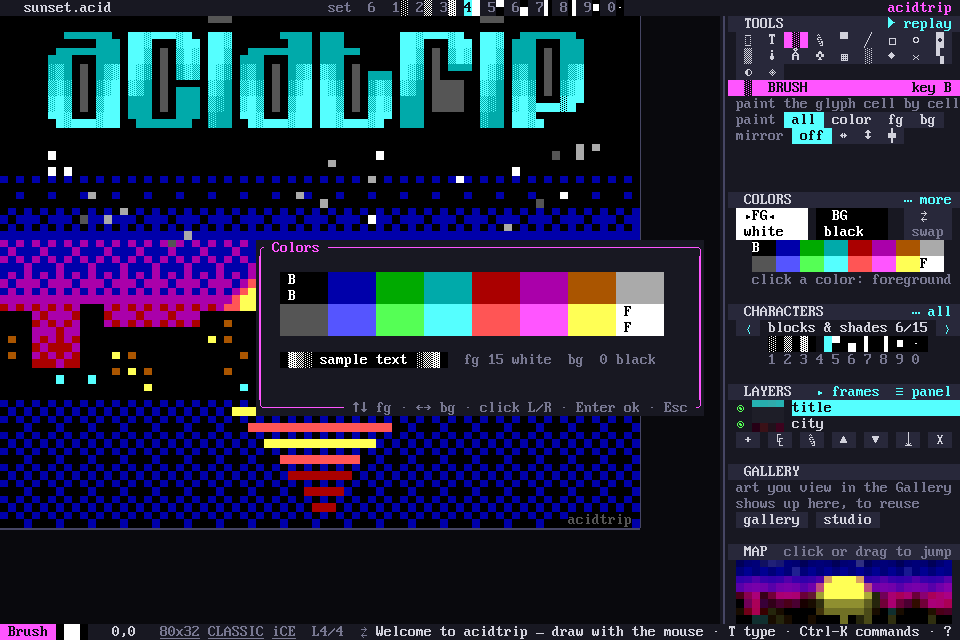
Clicking the box that is already active opens the full color dialog too. In it, ↑ ↓ change the foreground and ← → the background, and Modern documents can type any RGB color as hex.
iCE colors
Classic ANSI has 16 foreground colors but only 8 backgrounds; the bright half of the background colors meant blinking text. iCE colors use them as bright backgrounds instead. Alt-Z toggles iCE, and so does clicking iCE in the status bar. Without iCE, backgrounds stay in the dark 8.
New documents have iCE on. The ice key in the [new_doc] section of the config changes that.
Character sets
The characters bar is ACiDDraw’s: ten glyphs at a time, from 15 sets taken from ACiDDRAW.EXE itself. They cover single and double lines, the two mixed line sets, crossings, blocks and shades, symbols, arrows, math, Greek and accented Latin letters. Blocks and shades is the set you start with.
- 1–0 place the active set’s glyph at the cursor and move right. With the mouse, a key puts the glyph where the pointer is.
- [ ] step through the sets. Alt-P and Alt-N do the same from anywhere.
- Alt-1–Alt-0 (or F1–F10) place a glyph even while you type text.
- The set is shown top-right as
1░ 2▒ 3▓ 4█ …, and in the CHARACTERS panel with ‹ › to change it.
Clicking a glyph in the sidebar makes it the brush, and a ghost shows under the pointer before you paint.
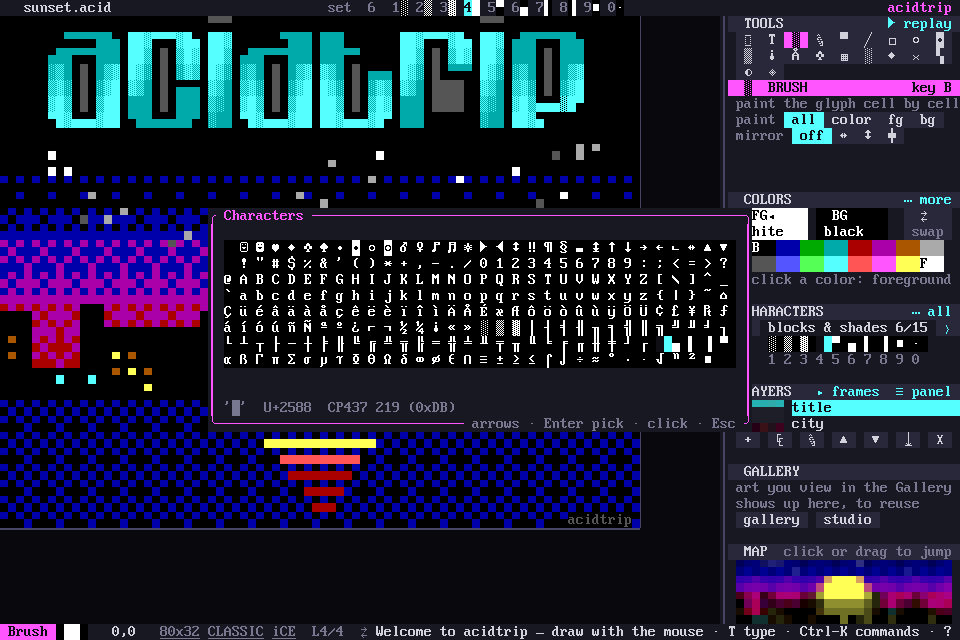
The character picker
Alt-K opens the full picker: the full CP437 grid in Classic documents, plus a browser of Unicode blocks in Modern ones.