 docs/gallery.ans · The Gallery
Browse scene art like a streaming service, then remix it, keep it, or take a part of it.
Browsing
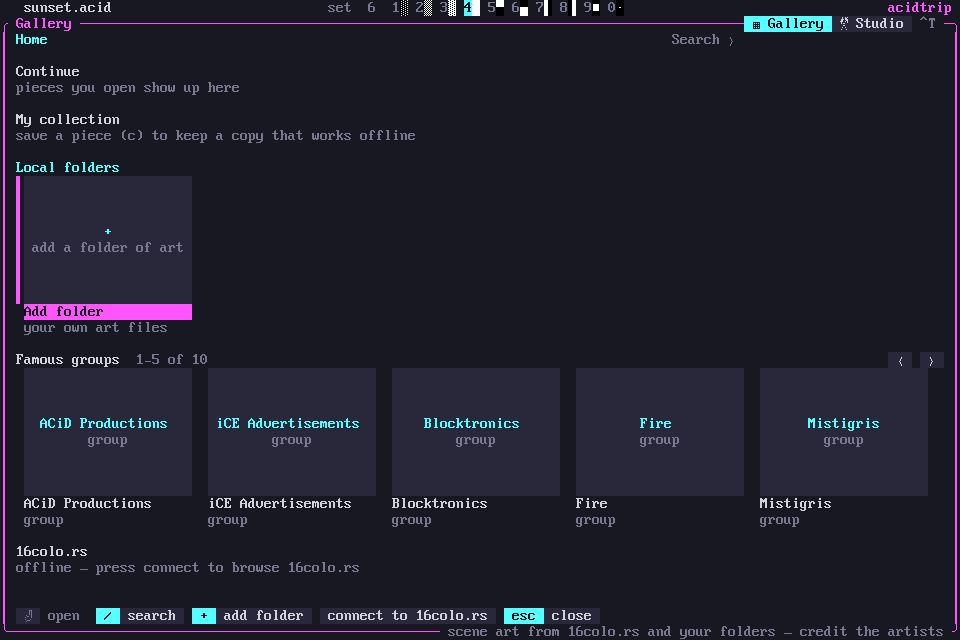
Ctrl-F (or palette › Gallery: browse ANSI art…) browses scene art like a streaming service: rows of posters, the arrows or the mouse to move, Enter to open.
Home rows
- What you opened recently.
- Your collection.
- Your local folders; + adds one.
- Famous groups.
- Every year on 16colo.rs, newest first.
Posters are real pixel renders on terminals with graphics (iTerm2, kitty, sixel), and half-block previews elsewhere. They load in the background, what’s on screen first.
A pack, a group, an artist or a folder opens as a grid. / searches packs, groups and artists on 16colo.rs, plus your own pieces.
A piece, full screen
A piece opens full screen with its credits and SAUCE. Scroll it, or press P to play it at 14400 baud.
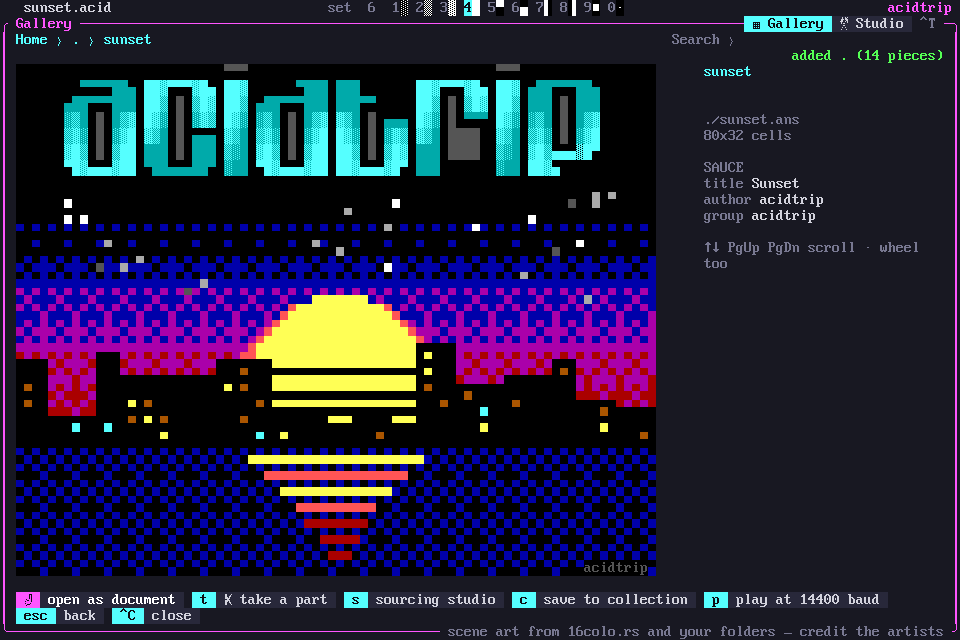
| Key | What it does |
|---|---|
| Enter | open it as an untitled document to remix; the credits stay in SAUCE |
| S | send it (or a whole pack) to the sourcing studio |
| C | save a copy to your collection, which works offline |
| T | take a part of it |
To take a part, drag a box over the part you want. It becomes a floating paste in your art, with its colors fitted to your document.
Gallery and Studio tabs
The Gallery and the sourcing studio are two tabs of one window. Click a tab on its top border or press Ctrl-T; S on a piece opens the Studio tab on it.
The GALLERY panel
The GALLERY panel in the sidebar keeps the pieces you’ve viewed full screen, as a strip of small pictures. They are cached, so it works offline. Click one to select it and again to view it; ‹ › scroll. ✂ take opens it to take a part, and gallery / studio open the window on either tab.