 docs/ai.ans · AI
Ask Claude to draw on its own layer, or let Claude Code draw straight into your editor over MCP.
The prompt bar
A (or Ctrl-/, Alt-A, or palette › Ask AI…) opens the prompt bar. Ask for “make a logo that says NEON”, “colorize the selection with a fire gradient” and the like. ↑ ↓ pick a suggestion and Enter runs it.
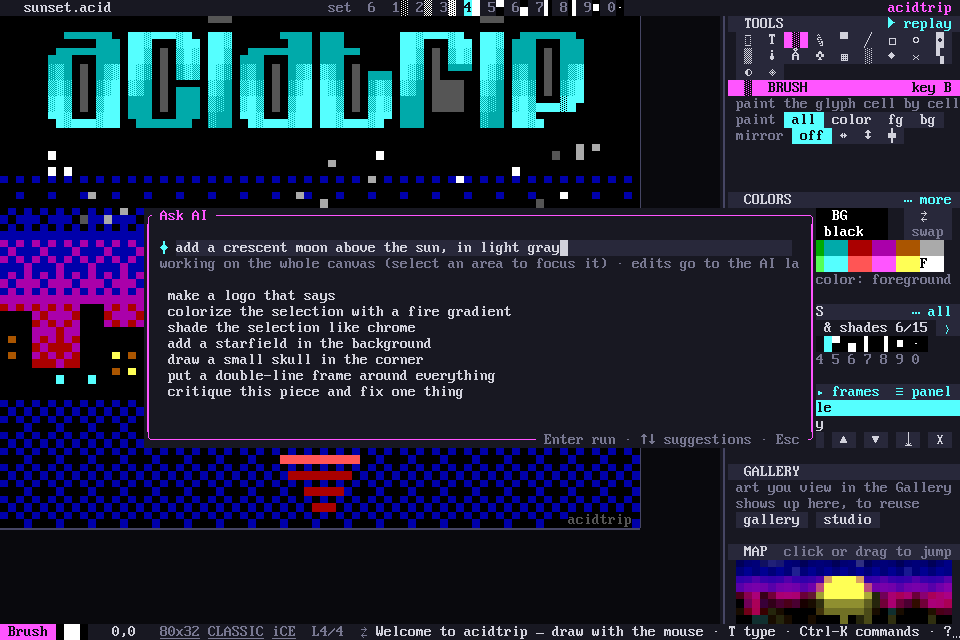
With a selection, I in the block menu asks about just that block.
How Claude draws
Claude draws on its own AI layer with real tools: boxes, half-block pixels, TheDraw fonts, stencils and the same brushes you use. It looks at a render of its work before it finishes.
- One Ctrl-Z undoes the whole run.
- Esc cancels it.
API key
The prompt bar needs ANTHROPIC_API_KEY in your environment, or a key in the config:
[ai]
api_key = ""                # empty: use ANTHROPIC_API_KEY
model = "claude-sonnet-5"
max_tool_rounds = 24
Claude Code and MCP
Register once and Claude Code draws straight into your open editor, live and undoable. No API key is needed in acidtrip:
claude mcp add acidtrip -- acidtrip mcp
Palette › AI & MCP setup… shows this, and C there copies the command.
acidtrip mcp attaches to a running editor. --session PID picks one when several are open. With no editor running, or with --headless, it works on a private canvas and can save files.
Scripting with —headless
acidtrip mcp --headless never touches an open editor. It starts on a private canvas, takes MCP calls on stdin, and answers on stdout, so any script can draw with the same tools Claude does and save the result. The art on this site is made that way.
It speaks JSON-RPC, one message per line: initialize, then tools/call for each tool. A minimal Python client is website/scripts/acidmcp.py:
from acidmcp import Mcp

m = Mcp("acidtrip")           # runs `acidtrip mcp --headless`
m.tool("new_canvas", width=80, height=12, kind="classic", ice=True)
m.tool("banner", font="amnesiax#0", text="hello", x=0, y=0, center=True)
m.tool("save", path="hello.ans")
m.tool("render_png", path="hello.png", scale=1)
Two fuller examples sit beside it:
- make-art.py draws the sunset in the screenshots on four layers, with dithered sky bands, pixel ellipses, a seeded city and a TheDraw title.
- headings.py letters every heading on this site in TheDraw fonts and crops the PNGs.
tools/list names every tool and its arguments. The TheDraw fonts have to be installed first (acidtrip fonts get).