 docs/gradients.ans · Gradients
Drag a color ramp over an area, in shades, half blocks, dither or truecolor.
Dragging a gradient
D, or ▒ in the tools grid, picks the gradient fill. Drag to lay a color ramp over an area: the selection if there is one, otherwise the area the bucket would fill from where you start.
The canvas shows the result while you drag, and letting go is one undo step. A click without a drag runs top to bottom.
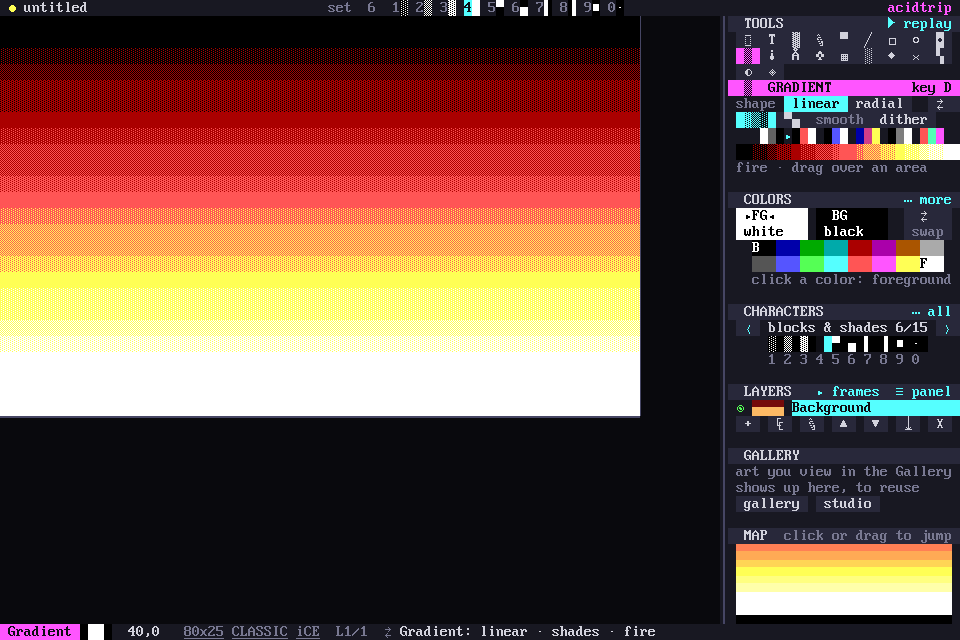
Shape
- linear runs along the drag.
- radial rings out from where it starts.
⇄, or a right-drag, runs the ramp the other way.
Style
- ░▒▓ shades puts solid colors with ░▒▓ mixes between them, in even bands, the way scene artists shade by hand.
- ▀▄ half blocks uses two colors per cell, for twice the steps up and down.
- smooth is truecolor per cell, in Modern documents only.
- dither is the shade ladder with an ordered pattern across each step.
Ramps
The ramps are your foreground to background, fire, ice, sunset, gray and rainbow. The strip under them shows the ramp as this document will get it.
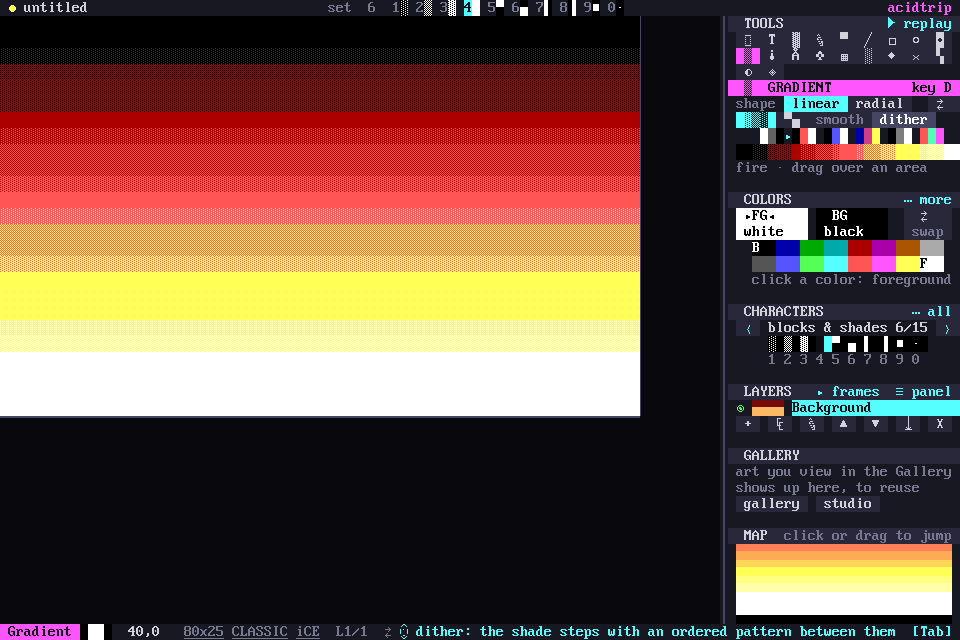
In Classic documents every stop is matched to the nearest of the 16 colors, and colors lying on the way are added as steps, so black to white goes through both grays. Without iCE colors, backgrounds stay in the dark 8.