 docs/patterns.ans · Patterns
Paint with a small tile that repeats, from built-in scene textures or your own art.
The pattern brush
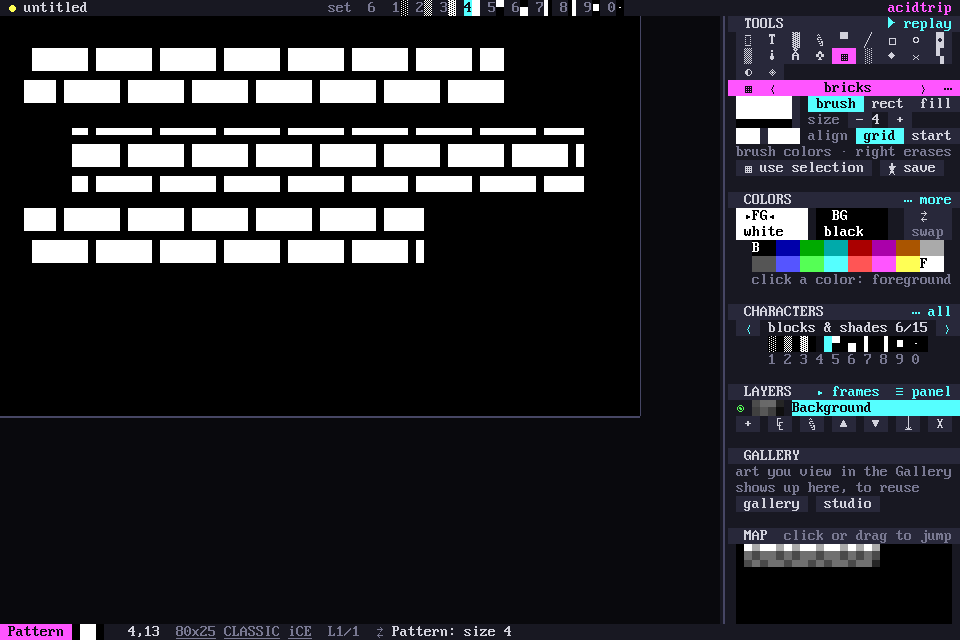
W, or ▦ in the tools grid, paints with a small tile that repeats. Its sidebar panel shows the pattern tiled, with ‹ › to step through them; Tab and Shift-Tab do the same.
Three ways to paint
- brush paints strokes. - and =, or the panel’s − +, set the width.
- rect fills a dragged rectangle.
- fill floods a region, like the bucket.
Right-drag erases the same cells.
Tiles line up on the canvas grid, so separate strokes, rectangles and fills join with no seams. align start instead starts a fresh tile where you press.
Empty cells in a pattern are transparent, so bricks, grids and dots leave the art underneath alone.
Built-in patterns
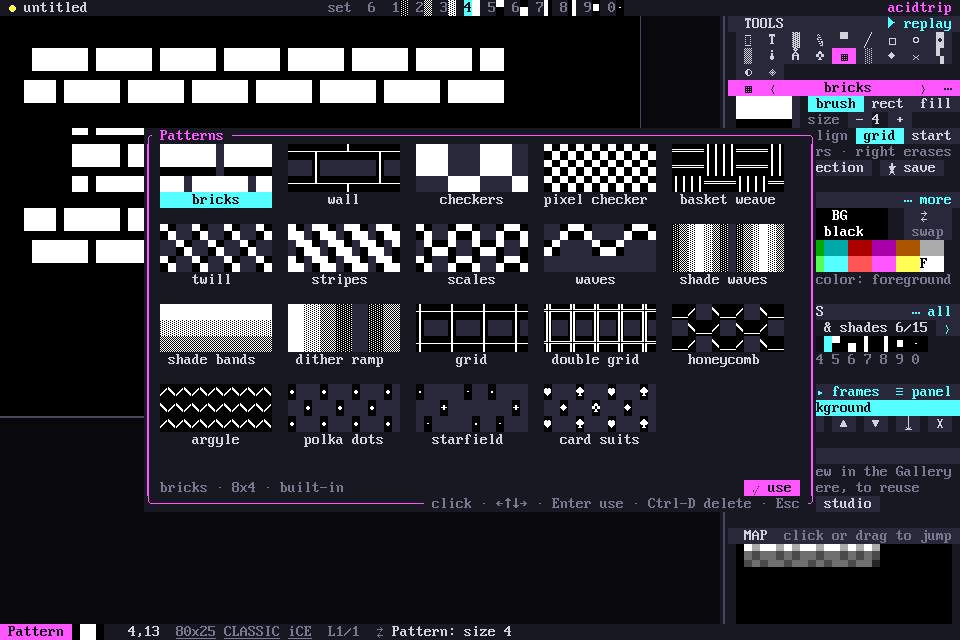
The built-ins are classic scene textures: bricks, a box-line wall, checkers, basket weave, twill, scales, waves, shade bands, a dither ramp, single and double grids, honeycomb, argyle, polka dots, a starfield and card suits. They paint in the brush colors. Classic documents list only the ones drawn in CP437.
Click the pattern’s name or preview, or use palette › Patterns…, to browse every pattern as a swatch. In the browser the arrows move, Enter uses a pattern and Ctrl-D deletes a saved one.
Your own patterns
Select some art and press Shift-W, click use selection on the panel, or press P in the block menu. The selection becomes the pattern, colors and all; colors: brush paints it in your brush colors instead.
★ save (or palette › Save pattern…) keeps it in the library’s patterns/ folder, one small JSON file each. Delete saved ones from the browser, or with palette › Delete saved pattern….