 docs/fonts-stencils.ans · Fonts and stencils
Stamp big text in TheDraw and FIGlet fonts, and reuse art as searchable stencils.
The Font tool
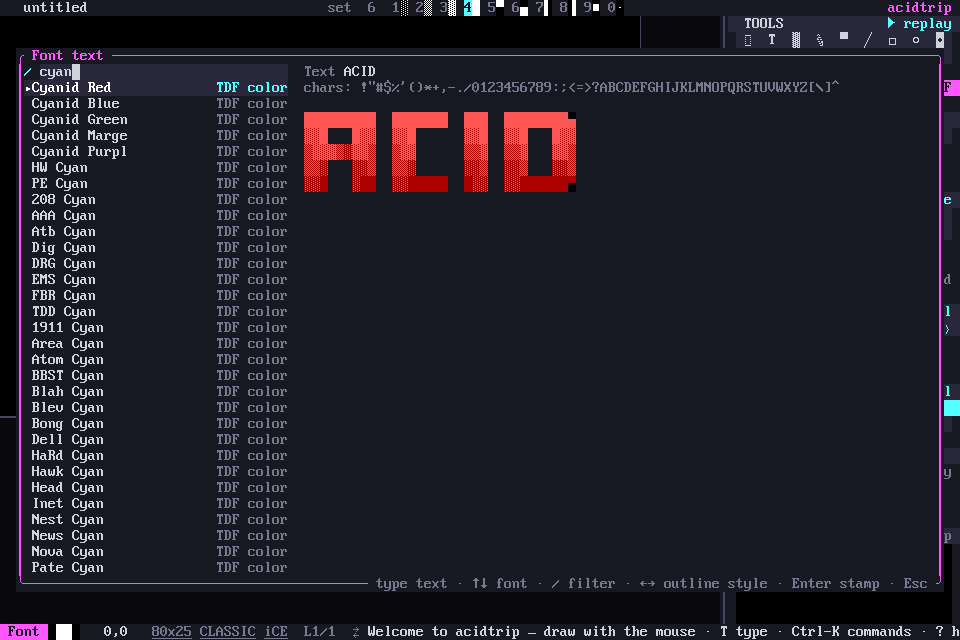
F, or Å in the tools grid, stamps big text. Click choose a font… in its panel to open the font dialog: type your text, ↑ ↓ pick a font, Tab (or a click on Find) switches between your text and the font filter, ← → change the outline style, and Enter stamps it.
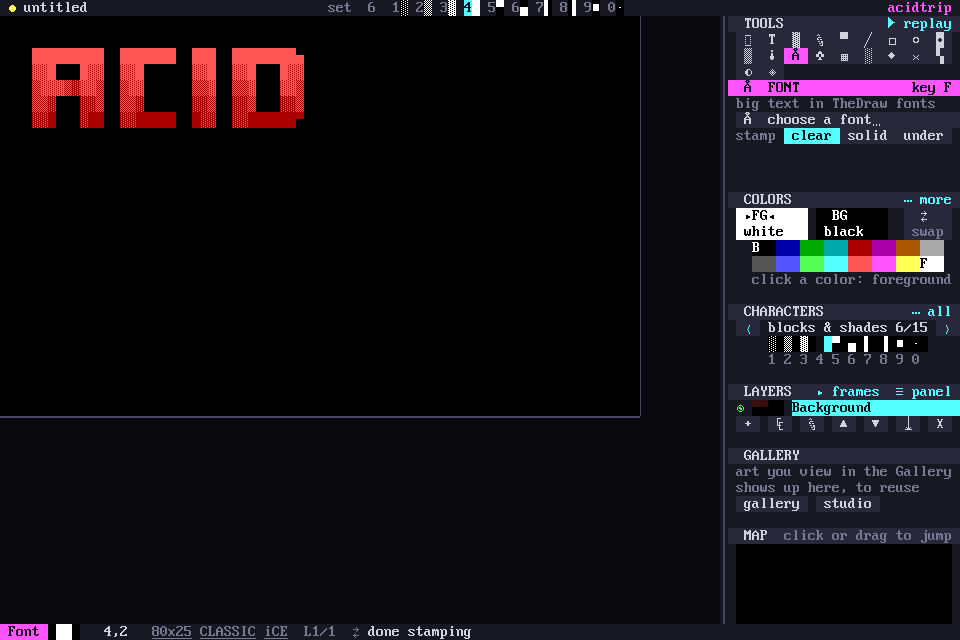
Text stamps opaque, transparent or under the art already there.
Getting more fonts
The FIGlet standard font set is built in. Until you have TheDraw fonts, the Font dialog shows a Get TheDraw fonts button (Ctrl-G); it, acidtrip fonts get, or palette › Download more TheDraw fonts installs about 1,200 TheDraw font files, around 3,700 fonts, from the tdfiglet collection. The download is checked against a pinned checksum, and if tdfiglet is ever gone acidtrip falls back to the copy kept in its own repo. The fonts were drawn by 1990s ANSI scene artists and came without a license; fonts/tdf/NOTICE.md has where they come from.
acidtrip fonts get                 # download the TheDraw packs
acidtrip fonts list                # every installed font
acidtrip fonts show FONT "HELLO"   # render text in the terminal
acidtrip fonts install my.tdf      # add a .tdf, .flf or .zip
Stencils
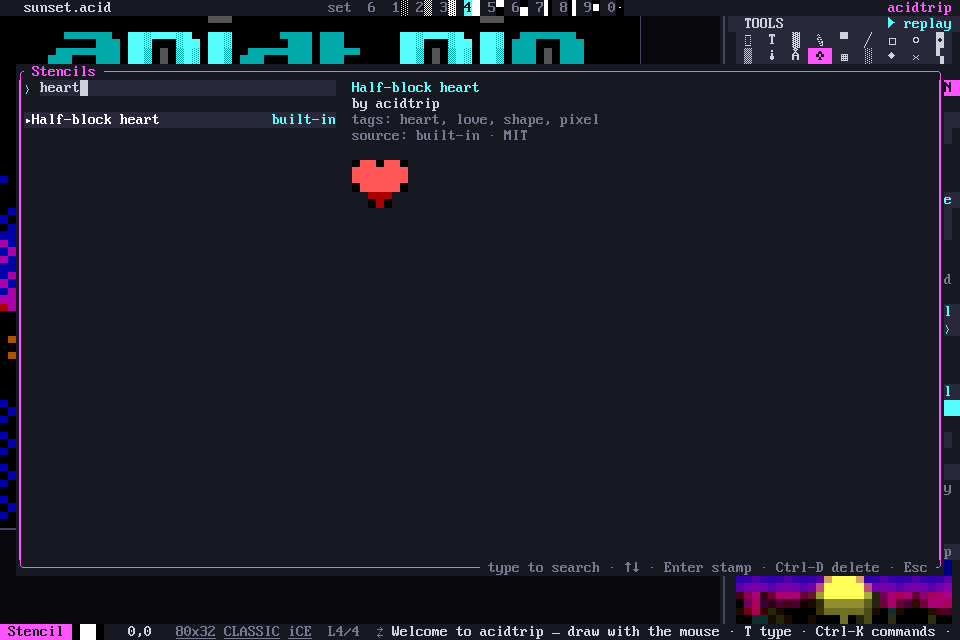
Save any selection as a stencil: S in the block menu, or palette › Save selection as stencil…. Stencils are searchable by name, tags and author.
N, or ♣ in the tools grid, stamps them. In the stencil dialog, type to search, ↑ ↓ to pick, Enter to stamp and Ctrl-D to delete. A stencil stamps as a transparent, opaque or under layer.
Harvesting from the command line
The sourcing studio builds fonts and stencils from scene art by hand. The same works from the command line:
acidtrip harvest 16colo.rs:twi-9703      # a pack from 16colo.rs
acidtrip harvest ~/art/                  # local files, zips, URLs
acidtrip harvest --list 16colo.rs:acid-50
- acidtrip finds the logos in each piece.
- Claude reads their letters and marks where each one starts and ends.
- The letters become a partial font in the artist’s style, and whole logos become stencils.
--completeasks the AI to draw the missing letters in the same style. Those letters are flagged as generated.
--list only lists the logos it finds, and --stencils-only saves every one as a stencil without reading letters. Without an API key, logos are saved as stencils only. Claude Code can do the letter-reading through the MCP tools harvest_candidates and harvest_commit.
Harvested fonts
Harvested fonts are .acidfont files (JSON, in fonts/harvested/). Each letter keeps its own size and shape, its colors, and where it sits on the baseline, with no TheDraw limits. Fonts harvested before as .tdf still load, and move to .acidfont the next time they are saved.
Harvested work stays in your own library, with the artist credited, for personal use.